Posts

SSRS

Image
SSRS Business Intelligence Development Studio (BIDS) and SQL Server Data Tools (SSDT) The browser is only one of several clients that can use the SSRS Web service. In fact, BIDS is a client when it interacts with the Web service to deploy reports and data sources. BIDS offers a graphical design environment for report developers to produce the RDL files that SSRS uses for deploying and rendering reports.

Agile

Image
Agile

AngularJS

Image
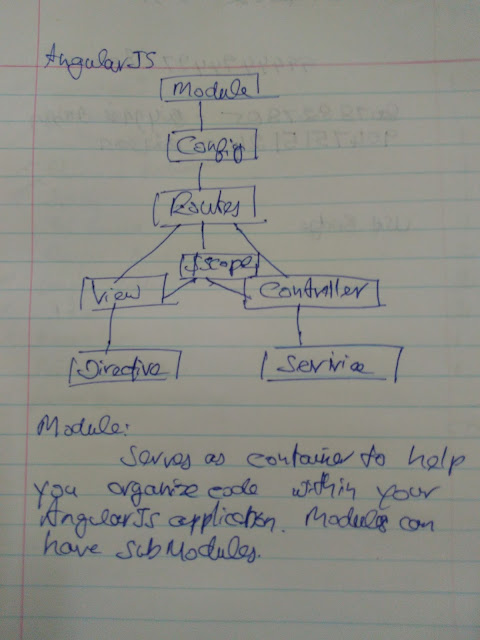
AngularJS AngularJS Service It’s actually better to use services where possible, when it comes to migrating to ES6. The reason for that is simply that a service is a constructor function and a factory is not. Working with constructor functions in ES5 allows us to easily use ES6 classes when we migrate to ES6. module . service ( 'MyService' , function () { this . method1 = function () { //..method1 logic } this . method2 = function () { //..method2 logic } }); AngularJS Factory module . factory ( 'MyFactory' , function () { var factory = {}; factory . method1 = function () { //..method1 logic } factory . method2 = function () { //..method2 logic } return factory ; }); AngularJS Controller angular.module( 'myApp' ) .controller( 'AdminCtrl' , [ '$scope' , 'admin' , 'AUTH_...

Angular 2

Angular 2 An Angular 2 application have a root component that contains all other components. It is a component tree.  It is a mobile first design. Data Flow from the server to browser is minimized. The framework itself is broken into a collection of modules, so that only the code needed to run the application is loaded. Component pattern involves combining smaller, discrete blocks into larger finished products. TypeScript It is a super set of Java script, it is strongly typed, object oriented, compiled. It compiles to clean Java script which runs in any JavaScript engine that supports ECMA Script 3 or higher.  What do decorators actually do in Angular 2? Basically, decorators in Angular 2 apply metadata on classes Angular2 Service //1. Import all dependencies import { Injectable } from '@angular/core' ; import {Http, Response, RequestOptions, Headers} from '@angular/http' ; import {Employee} from './employee.model' ; import {Ob...